¶ Print Recovery at Arbitrary Layer Height
¶ 1.Select the file you want to restore:
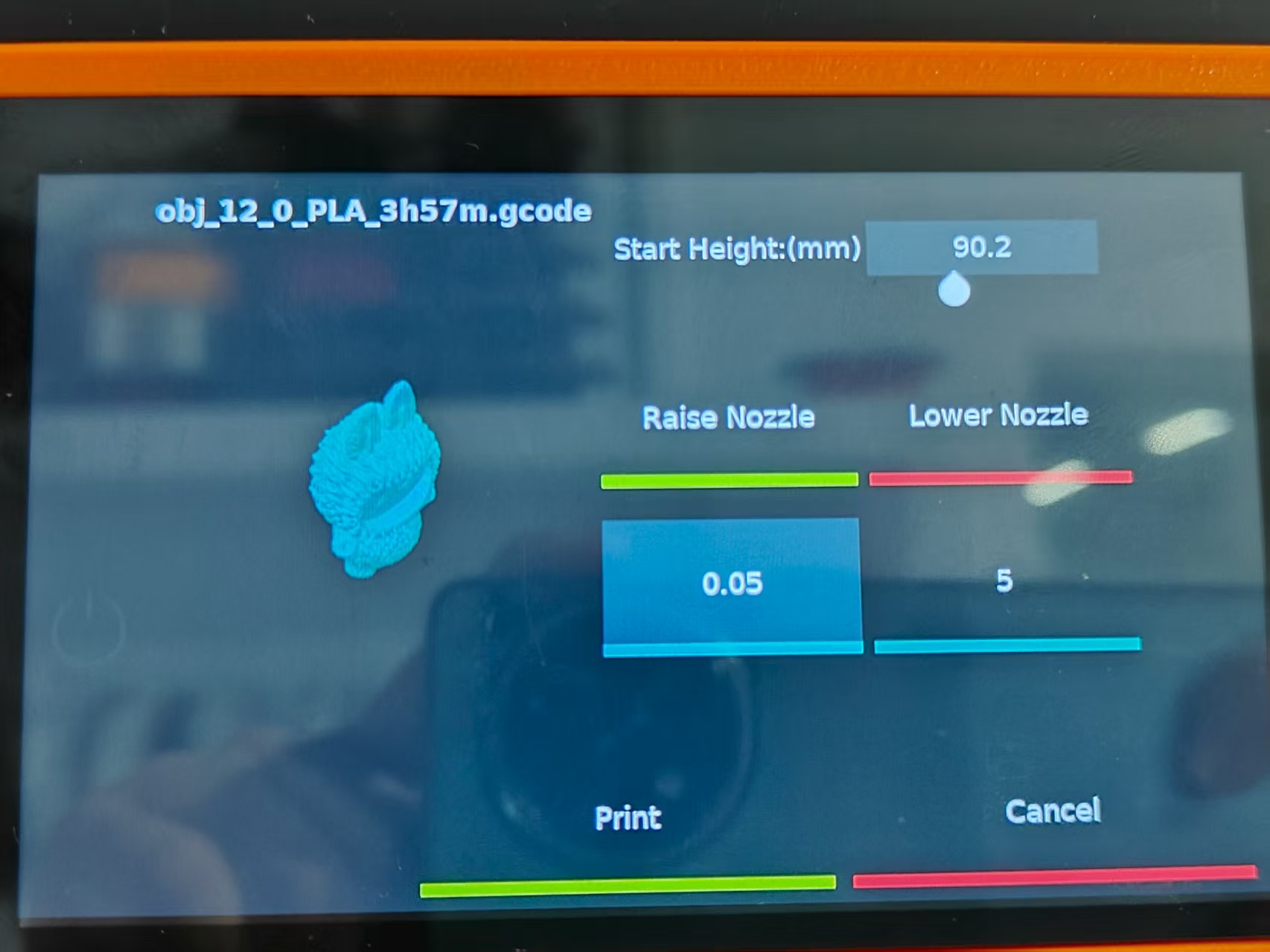
Home Screen --> Print --> Gcode file you want to restore --> Select "Continue" to enter the following screen.
¶ 2.Measure the height.
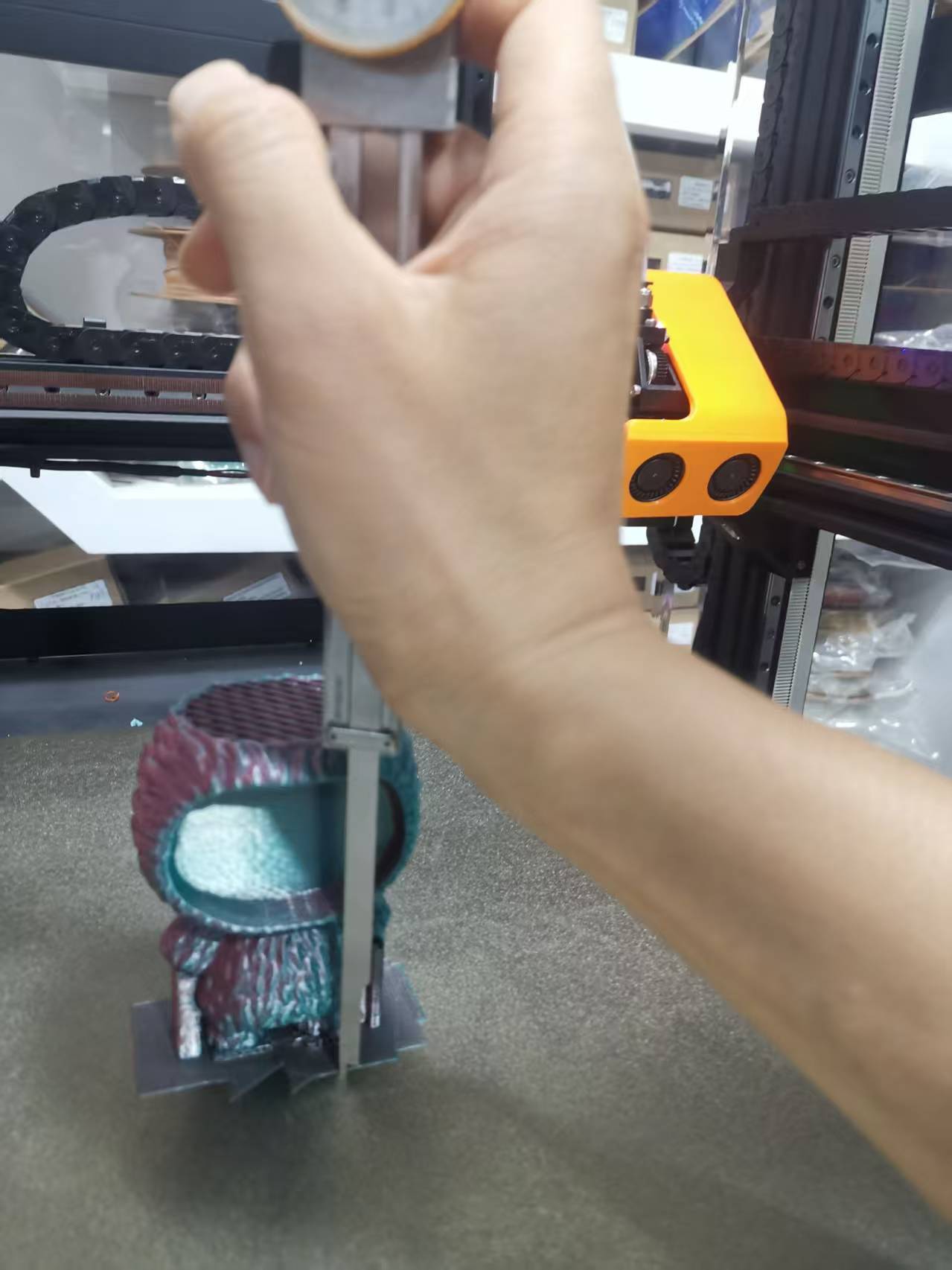
Measure the printed height, as shown below.
Enter the starting height in the "Start Height" field. For example, here it's 90.2mm, as shown above. The height entered here should generally be an integer multiple of the slice height, such as 0.2. The decimal point should be a maximum of two digits. Incorrect values will be displayed on the interface.
¶ 3.Nozzle Height Calibration
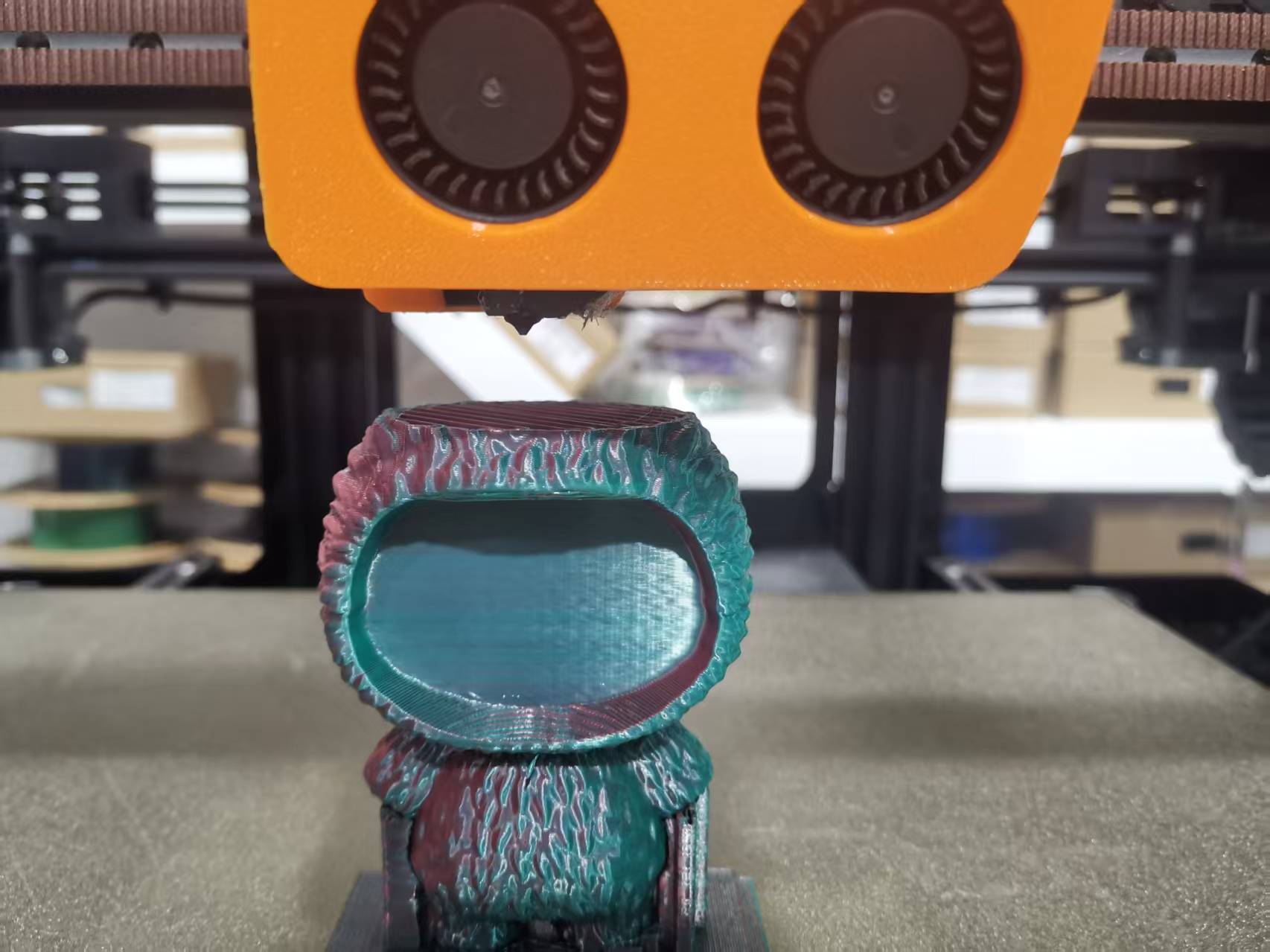
Lower the nozzle to the position where printing needs to be resumed by clicking "Raise Nozzle" or "Lower Nozzle" so that the nozzle just touches the last unprinted part of the print.
¶ 4.Click to print
After adjusting the nozzle and entering the print start height, click Print to start.
Please wait patiently for about 1 to 3 minutes, as the printer will automatically generate a new temporary Gcode file plr.gcode, which takes some time. The printer will automatically heat up, return to the XY position, and then start printing.
¶ 5. Special Cases
If the following situation occurs after clicking Print, it means there are command deviations in the G-code file generated by the slicing software, causing the system to fail to recognize the corresponding command line and execute the printing operation.
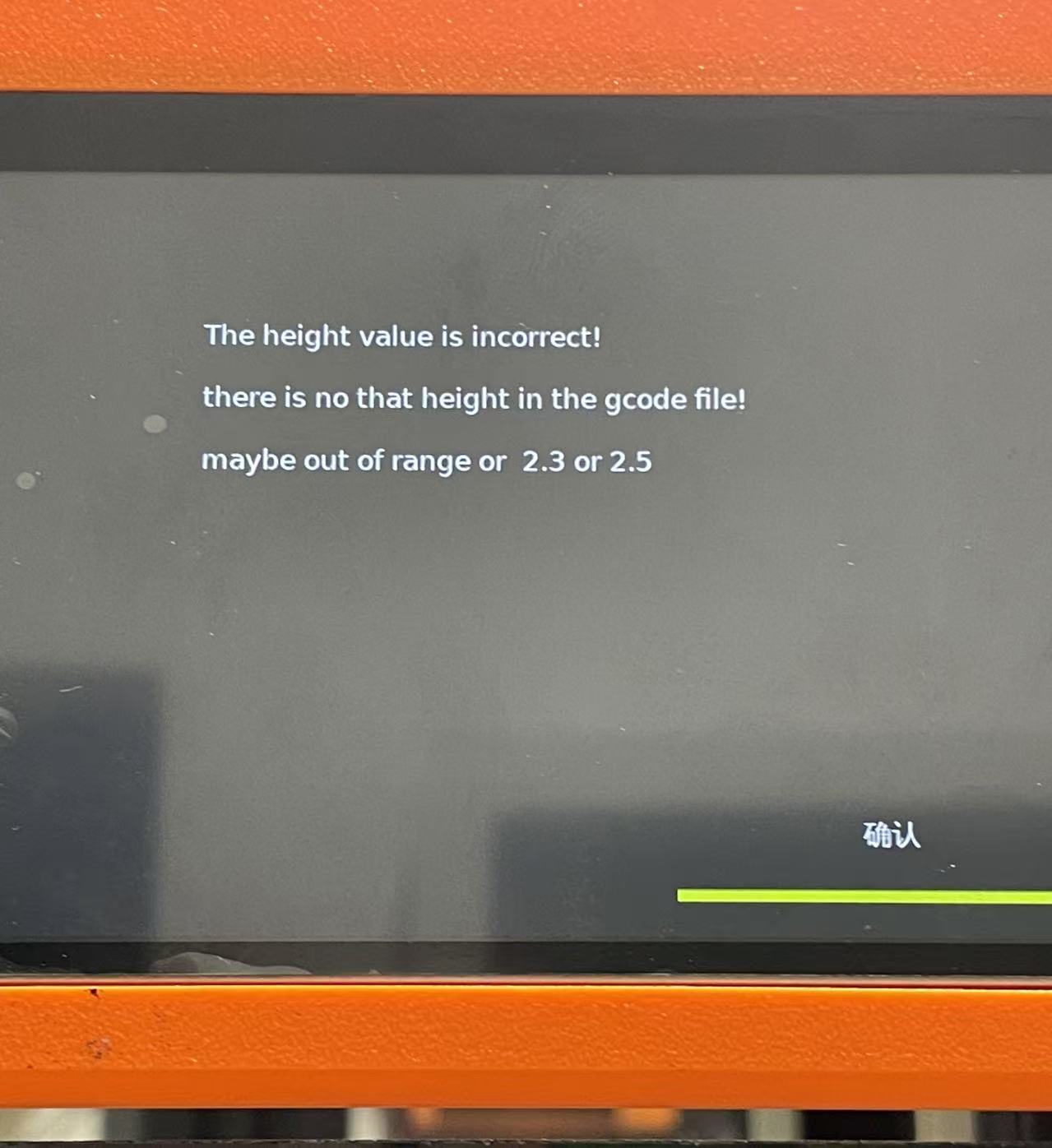
You can add recognizable commands at the corresponding position in the G-code file of the model to be resumed, so as to realize printing recovery at the specified layer.
Detailed Steps
1.Open the printer’s IP address in your browser;
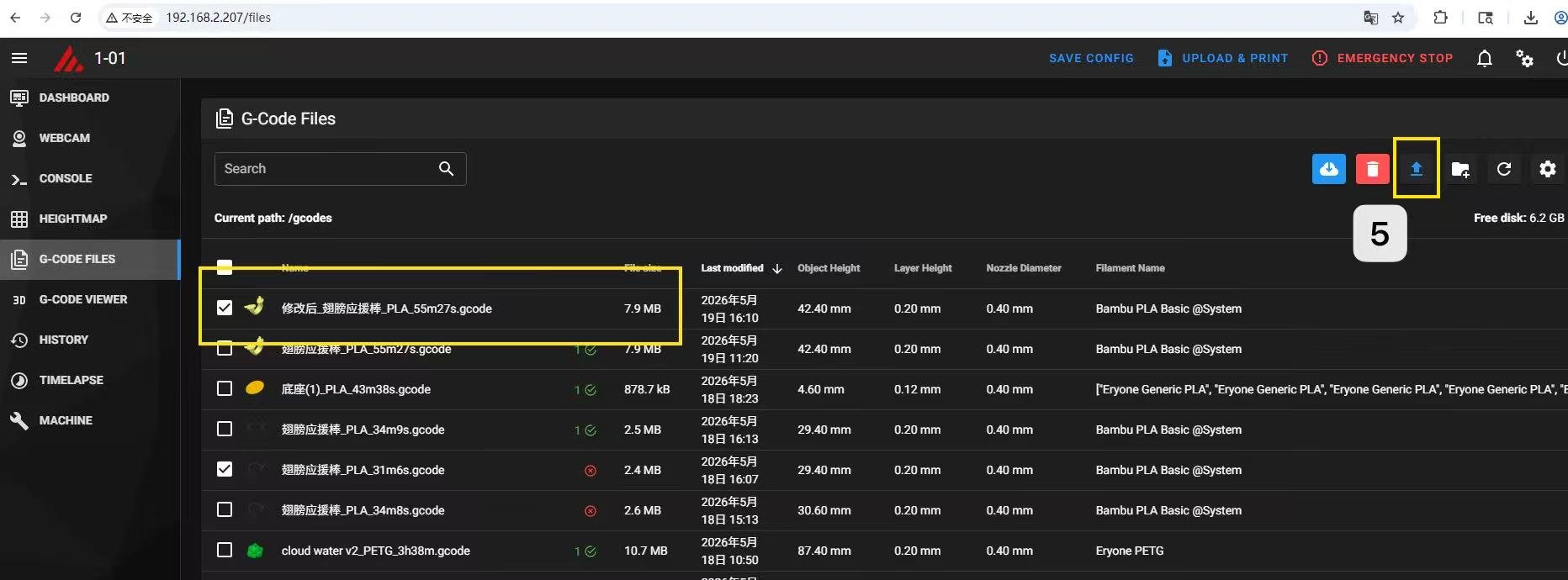
2.Click G-CODE FILES, select the G-code file of the model that needs printing recovery, and download it to your local device;
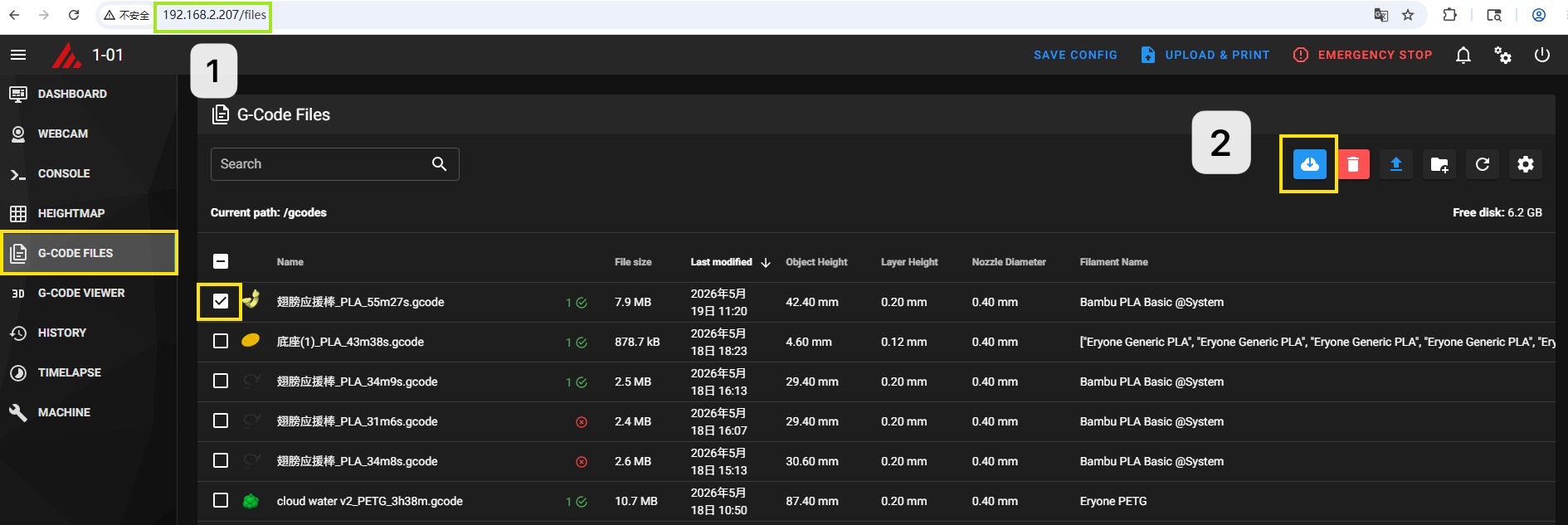
3.Open the G-code file with Notepad, then search for the motion trajectory command line corresponding to the height where you need to resume printing;
(Example: If you want to resume printing at a height of 2.4mm, search for Z2.4 and locate the line starting with G1...Z2.4...)
4.Add the command G1 Z...(target resume height) before this command line;
(Example: Add G1 Z2.4)
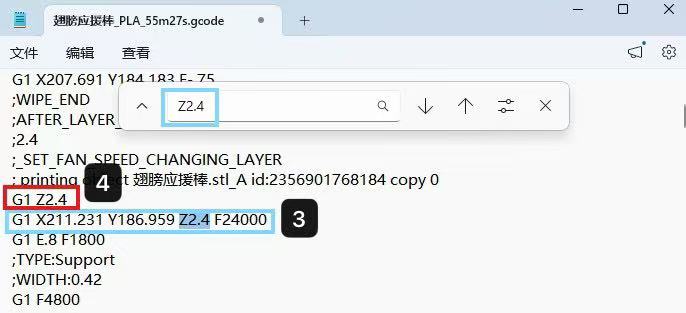
5.Re-upload the modified G-code file to the printer, then follow the operation in Step 4. Click Print to start printing again.